
Uninterrupted performance for systems that demand more.
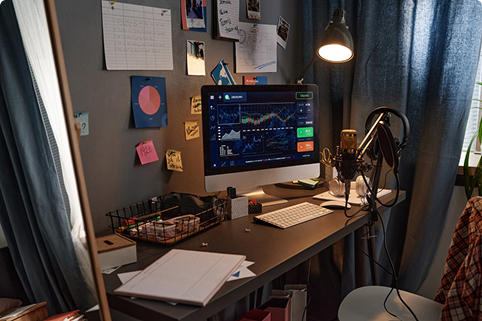
High-performance gaming rigs, video editing suites, rendering stations, and audio production setups draw heavier loads and often feature active power factor correction (PFC) power supplies. A properly matched AWP pure sine-wave UPS helps protect your hardware, maintain workflow integrity during sags or outages, and prevent sudden shutdowns.
High-draw components require careful total-watt validation. Check both peak system load and power supply specifications.When performance hardware meets unstable grid conditions.
Creative professionals and gaming enthusiasts invest significantly in high-end GPUs, multi-monitor displays, liquid cooling, and precision peripherals. Power sags, brownouts, and sudden voltage spikes can corrupt rendering files, damage components, or cause system crashes mid-project. A professional-grade UPS provides cleaner backup power transition and stable runtime.
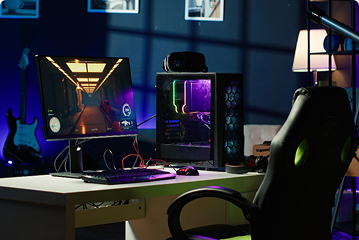
High-End Gaming Rigs
Protect high-draw graphics cards and multi-core processors from abrupt power loss during intense gaming sessions or competitive matches.

Video Editing & Rendering
Safeguard hours of rendering progress and heavy timeline exports from catastrophic data corruption caused by unexpected blackouts.
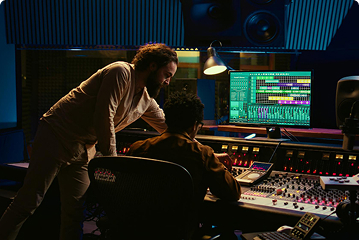
Audio Production Studios
Prevent audible clicks, pops, and ground-loop interference from affecting recording hardware, monitors, and digital audio workstations.
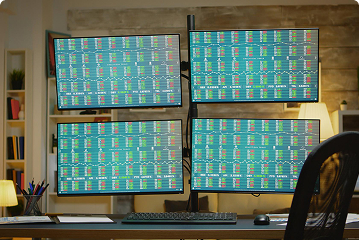
Multi-Monitor Workspaces
Ensure stable power delivery across color-accurate professional displays, external storage arrays, and specialized input peripherals.
From standard creator desks to heavy rendering setups.
Selecting a UPS for creative hardware requires matching output waveforms—specifically prioritizing pure sine wave compatibility for modern Active PFC power supplies.
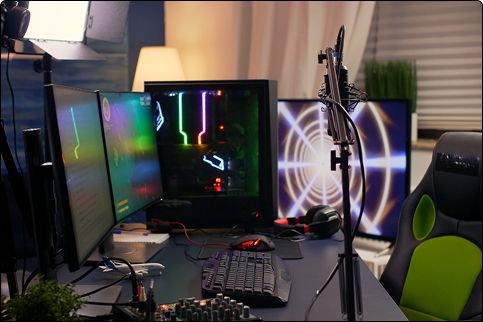
Mainstream Gaming & Content Setup
For mid-tier gaming PCs, single monitors, and basic streaming gear. Requires stable line-interactive regulation to handle everyday voltage swings safely.
Performance Creator Workstation
For high-end enthusiast builds featuring power-hungry GPUs, dual monitors, and external direct-attached storage requiring pure sine wave output.

Studio & Enterprise Rendering Node
For mission-critical production servers, multi-GPU rendering arrays, and master editing suites requiring zero-transfer-time double-conversion protection.
Account for peak power draws, not just idle specs.
High-performance graphics cards and CPUs experience sharp power spikes during heavy gaming or rendering workloads. Proper capacity planning prevents overload trips.
-
1
Check power supply (PSU) wattage
Look at the maximum rated capacity of your computer’s internal power supply.
-
2
Factor in monitor and peripheral loads
Add the power requirements of all displays, audio interfaces, and external drives.
-
3
Prioritize pure sine wave output
Ensure compatibility with Active PFC components to avoid system instability.
-
4
Determine safe shutdown window
Target enough runtime to finish saves, close applications, and power down cleanly.
-
5
Verify physical form factor and outlets
Check available battery-backed plug slots and physical dimensions for your workspace setup.
Configurations built for high-demand environments.
Explore typical power protection profiles tailored for creators and gamers.
Mid-Range Gaming Battle Station
Gaming PC (750W PSU) + 27-inch high-refresh monitor + audio speakers. Requires clean line-interactive protection with sufficient watt headroom for peak GPU draw.
Professional Video Editing Suite
Creator Desktop (1000W PSU) + dual 4K color-accurate displays + external RAID storage array. Demands pure sine-wave output to protect active file projects.
Home Audio & Streaming Rig
Streaming PC + audio mixer + studio monitors + lighting panels. Prioritizes clean power delivery to eliminate electrical hum and interference.
Heavy 3D Rendering Workstation
Dual-processor or multi-GPU workstation + specialized peripherals. Requires robust capacity headroom and fast transfer response times to prevent corruption.
Frequently Asked Questions
Protect your high-performance setup today.
Tell us about your hardware specifications, PSU rating, and workspace requirements. We will help match you with the right AWP pure sine-wave solution.
Final disclaimer: Recommendations must be confirmed using the specifications of the exact locally available model. A UPS does not replace safe electrical installation or equipment-specific operating requirements.